Everything your team needs to know,
one search away.
From the server rack to the registrar, Knowpoint keeps every detail of every client documented, connected and current.
Everything about every client, in one place
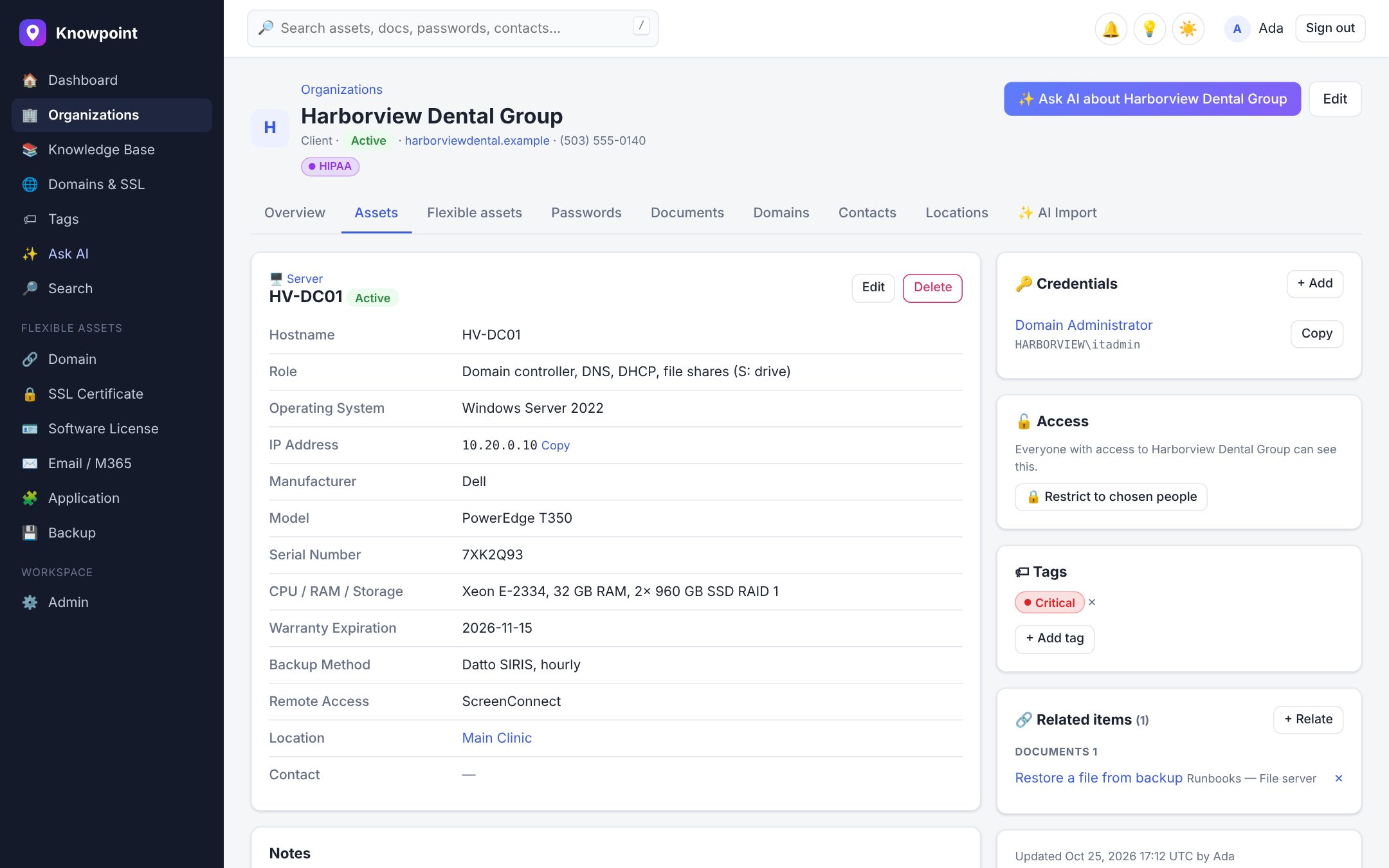
Organizations, locations, contacts, assets, passwords and runbooks, all linked together. Flexible assets let you document anything (email platforms, backups, Wi-Fi, licensing) with fields that appear only when they apply.
- Visual builder with conditional fields
- Tag fields that link to servers and other items
- Related items and tags across everything
- Visual or Markdown editor with version history
Ask a question. Get the answer, with sources.
“What's the VPN setup at Contoso?” Ask AI searches your documentation and answers in seconds, with links to what it used. It can write runbooks, build an environment overview, and turn raw handover notes into structured documentation.
- Answers only from what you're allowed to see
- Never sees password values
- AI writer and AI import
- Every AI change is audited
Harborview backs up HV-DC01 hourly with Datto SIRIS. To restore a single file:
- Sign in to the Datto portal and open the HV-SIRIS appliance.
- Choose the latest recovery point for HV-DC01, then File Restore.
- Browse to the file, download it, and copy it back to S:\.
Credentials for the portal are in Passwords → “Datto Partner Portal”.
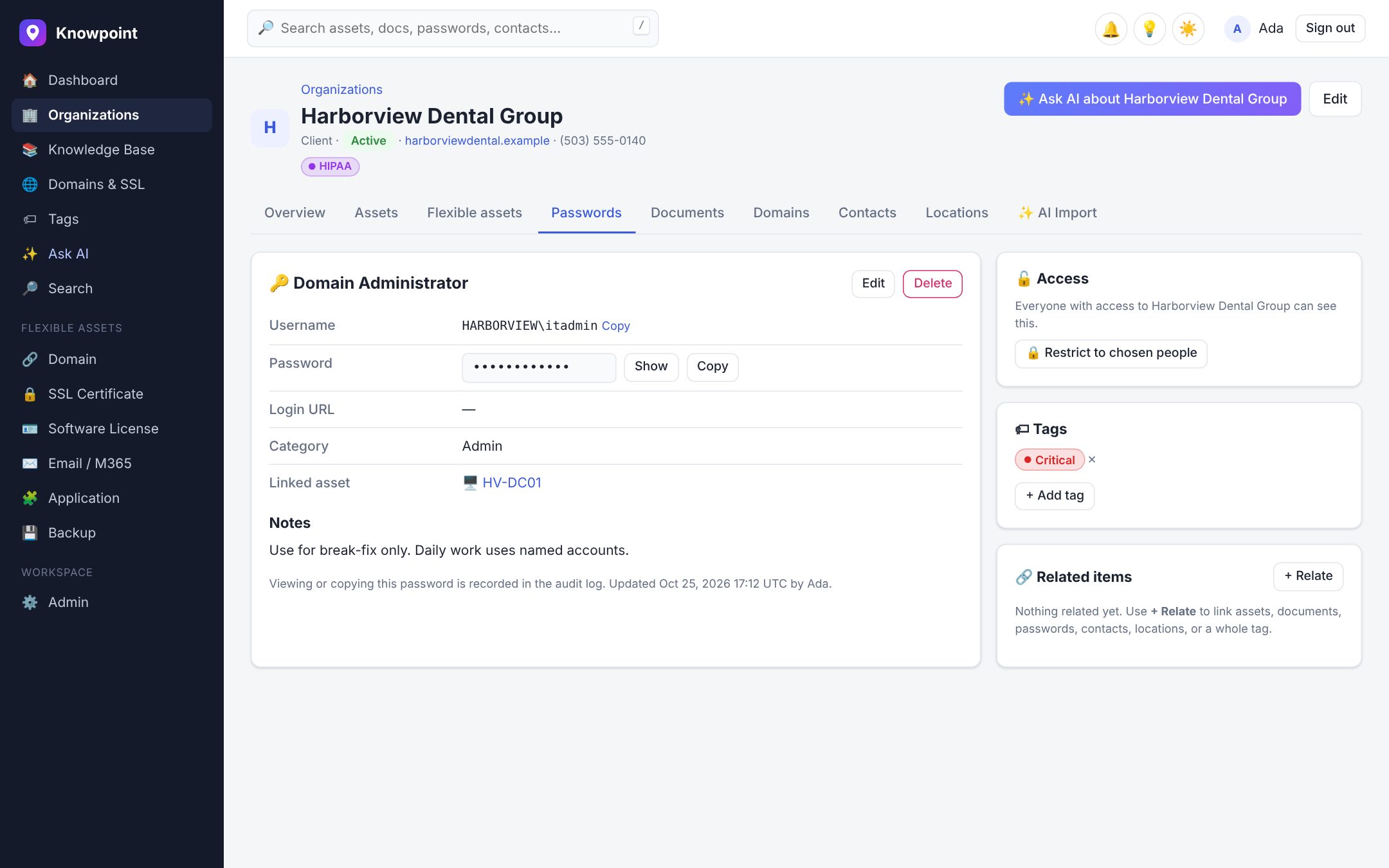
Credentials that are safe, and still fast to use
AES-256-GCM encryption with a key per workspace, one-click copy, TOTP codes, and a full audit trail of every reveal. Restrict sensitive items to chosen people and teams, right from the item's page.
- Per-item access with view or edit
- Every reveal and copy audited
- Alerts on unusual password access
- Scoped API keys
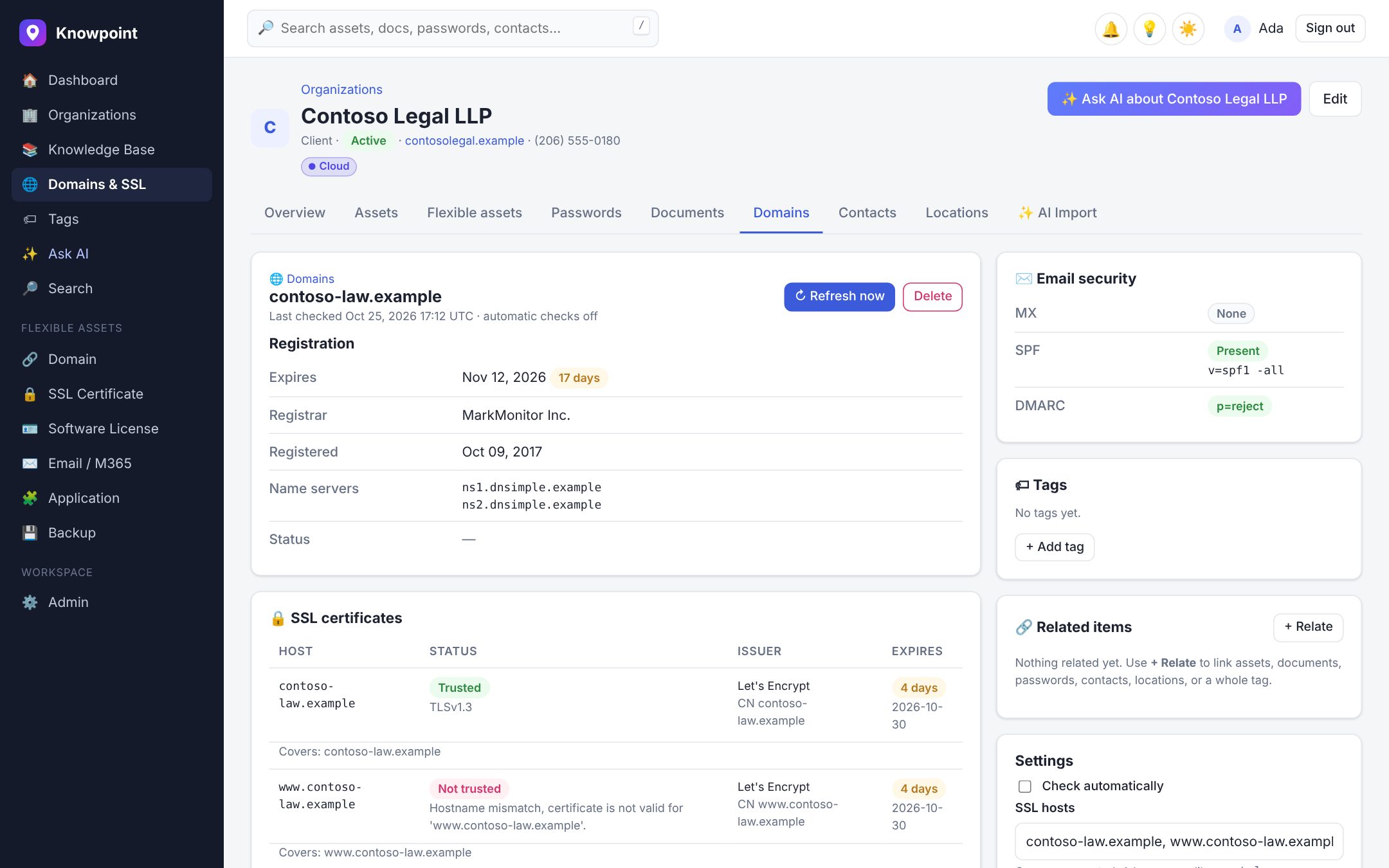
Never be surprised by an expiring domain again
Enter a domain and Knowpoint pulls its registration, DNS records and certificates automatically, re-checks them in the background, and records every change.
- WHOIS / RDAP, DNS, SPF and DMARC at a glance
- Certificates on every host you list
- Change history
- Expiry alerts at 30, 7 and 1 days
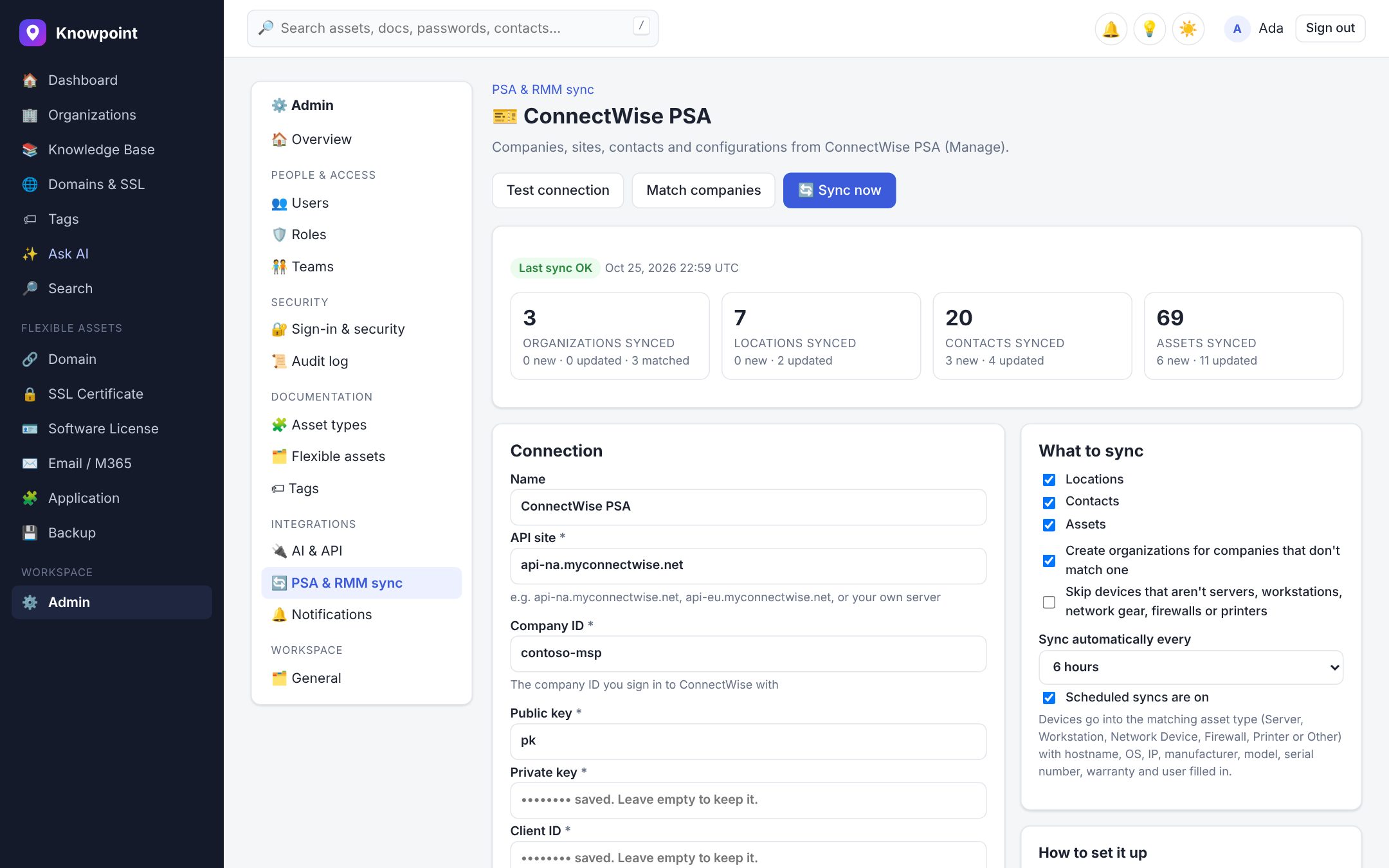
Your PSA and RMM, already documented
Connect ConnectWise PSA, HaloPSA or NinjaOne and pull in companies, sites, contacts and devices, with hardware, OS, IP and serial numbers mapped onto your asset types. Existing records are matched, not duplicated.
- Scheduled or on-demand syncs
- Match companies to organizations
- Only mapped fields change
- Nothing is ever deleted
Know before your clients do
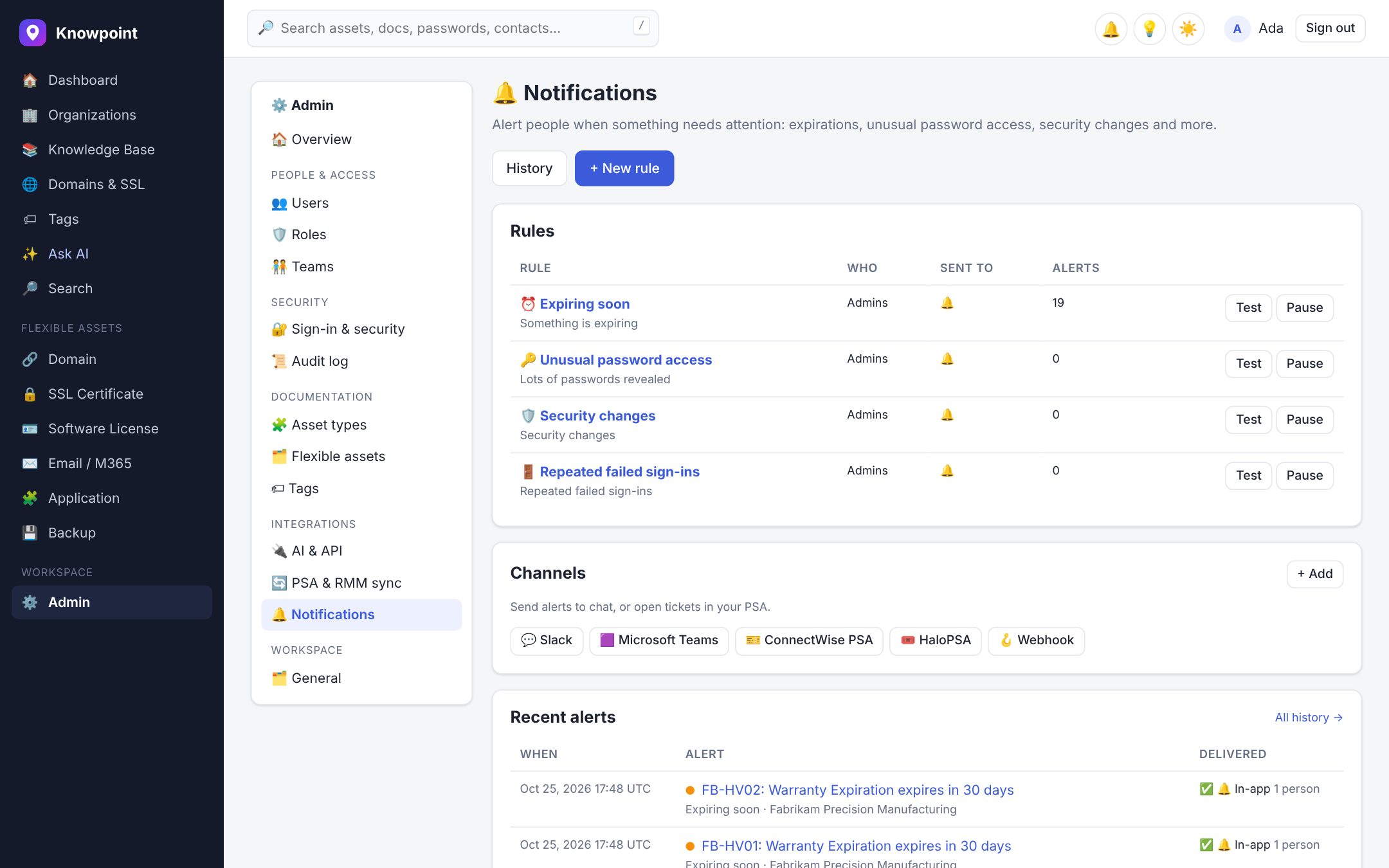
Rules for expirations, unusual password access, failed sign-ins, security changes and domain changes, delivered in-app, by email, to Slack or Teams, or as a ConnectWise or Halo ticket.
- Recommended rules in one click
- Only people who can see an item are told
- No duplicate alerts
- Test any rule or channel
And all the details that make it fast
Bulk actions
Change status, move, tag or delete hundreds of items at once.
Visual field builder
Design your own asset types on a map, with fields that only appear for certain choices.
Tags and relations
Tag a HIPAA client once and find every related asset, password and document.
Visual or Markdown docs
Write like in a word processor, or in Markdown. Every save is versioned.
REST API
Automate anything with scoped, admin-issued keys: per organization, resource and asset type.
Light and dark, any device
A fast, clean interface that works on the laptop and on the phone in the server room.
Security you can explain to your clients
Built on the assumption that documentation for MSPs is a high-value target.
Isolated workspaces
Each customer gets their own database schema and encryption key.
Roles and per-item access
18 plain-English permissions, teams, and restrictions on single items.
Full audit log
Every change, sign-in and password reveal, with who, when and where.
Two-factor authentication
TOTP for every user, with rate-limited sign-in.
Encrypted secrets
Passwords and TOTP seeds are encrypted with AES-256-GCM, with a separate key for every workspace.
Alerts on unusual access
Get told when someone reveals more passwords than usual, turns off 2FA or gains admin rights.
Private AI
The AI only reads what the asking user can see, and never sees password values.
See it with your own clients
Your workspace is ready in seconds, with sample clients to explore.