IT documentation that's easy to find, create and keep current
Knowpoint is IT documentation software for MSPs and internal IT teams. Assets, passwords, runbooks, networks, domains and the know-how behind them live in one place, fill themselves in from the tools you already run, and answer questions in plain English.
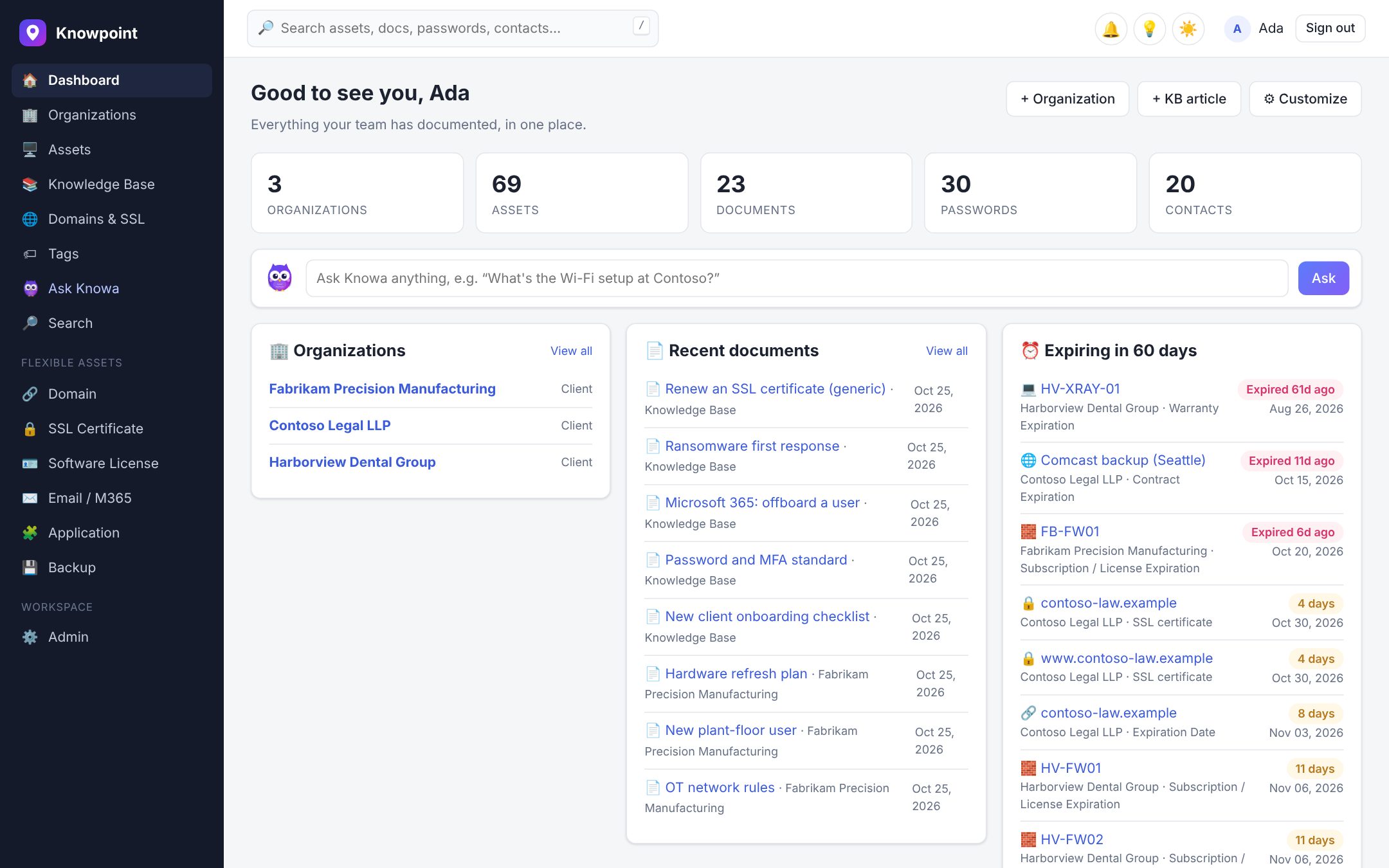
What is IT documentation?
IT documentation is the written record of an IT environment: what's there, how it's set up, how to get into it and how to fix it. It covers hardware and software, networks, accounts and passwords, vendors and licenses, and the procedures technicians follow, from onboarding a new user to restoring a server.
Good IT documentation means anyone on the team can solve a problem without asking the one person who remembers. It shortens tickets, makes onboarding new technicians faster, and keeps you secure and compliant, because you know what you have and who can reach it.
Why IT documentation goes stale
Most IT documentation starts strong and decays. Devices get replaced, users leave, certificates renew and a firewall rule changes, and nobody updates the page. Writing things up competes with the next ticket, so it waits for a clean-up project that never comes.
Knowpoint is built around that problem. Instead of relying on people to remember, it keeps documentation current from the systems that already know the answer, and makes writing things up part of the work you're already doing.
- Devices, users and licenses sync from ConnectWise PSA, HaloPSA, Autotask, NinjaOne, Datto RMM and Microsoft 365
- Domains, DNS records and SSL certificates are re-checked automatically, with a history of every change
- Alerts before warranties, licenses, domains and certificates expire
- Blind spots: Knowa points out solved tickets, important assets and organizations that nobody has documented yet
Find any answer in seconds
Documentation only helps if you can find it in the middle of a ticket. Search every asset, password, document and contact at once, or ask Knowa, Knowpoint's AI assistant, in plain English: "What's the VPN setup at Contoso?" Knowa answers from your documentation, links to its sources, and never sees password values.
- Global search across organizations, assets, passwords, documents and contacts
- Tags and related items connect a server to its runbook, its passwords and its vendor
- The browser extension shows the passwords for the site you're on and the client behind a PSA ticket
- Reach your documentation from Claude, Copilot or Cursor through MCP
Create documentation from the work you already do
The fastest documentation is the kind you don't have to start from a blank page. Turn a solved ticket from HaloPSA, ConnectWise or Autotask into a write-up in one click. Paste raw notes and let Knowa structure them into a runbook. Use flexible assets to give every kind of item, from Wi-Fi networks to backup jobs, its own fields.
- Ticket write-ups from HaloPSA, ConnectWise and Autotask
- An AI writer for runbooks, SOPs and client overviews
- Visual or Markdown documents, with version history
- Flexible asset types with conditional fields
What your IT documentation should include
A starting checklist for every client or site. Knowpoint has a place for each of these out of the box.
Organizations and locations
Each client or site, its address, hours, contacts and escalation rules.
Assets and configurations
Servers, workstations, network gear and printers, with serial numbers, warranty and OS.
Passwords and credentials
Admin accounts, vendor portals and shared logins, encrypted and audited.
Network documentation
IP ranges, VLANs, firewall and VPN setup, Wi-Fi networks and ISP details.
Cloud and Microsoft 365
Tenants, users, licenses and who has what.
Domains and certificates
Registrar, DNS, SPF and DMARC, and when each certificate expires.
Runbooks and procedures
Onboarding and offboarding, backup restores, and how to fix what keeps breaking.
Vendors, contracts and licenses
Who to call, what you're paying for and when it renews.
Questions
What is IT documentation software?
Software for recording and organizing everything about an IT environment: assets, passwords, networks, procedures and vendors. Unlike a wiki or a shared drive, it understands the structure of IT (organizations, assets, credentials and how they relate) and can sync from the tools that manage them.
What should IT documentation include?
At a minimum: each organization and location, its assets and configurations, passwords, network details, cloud tenants and licenses, domains and certificates, vendors and contracts, and the runbooks your team follows. The checklist above is a good starting point.
How do you keep IT documentation up to date?
Let systems update what they already know, and make writing things up part of the work. Knowpoint syncs devices, users and licenses from your PSA, RMM and Microsoft 365, re-checks domains and certificates automatically, and turns solved tickets into write-ups.
Is IT documentation software secure enough for passwords?
It has to be. Knowpoint encrypts every stored password with AES-256-GCM and a key unique to your workspace, keeps each workspace in its own database schema, audits every reveal, and supports two-factor authentication and Microsoft 365 sign-in.
How much does Knowpoint cost?
One plan with every feature: $25 per user per month, or $20 per user per month billed yearly. There's a 14-day free trial with no credit card.
Keep reading
Documentation that keeps up with you.
Start a free trial and see it with your own clients. Your workspace is ready in seconds.